
How to File Online Form E Issuance Request in Weboc
Procedure To Get Export Form E Online in Pakistan
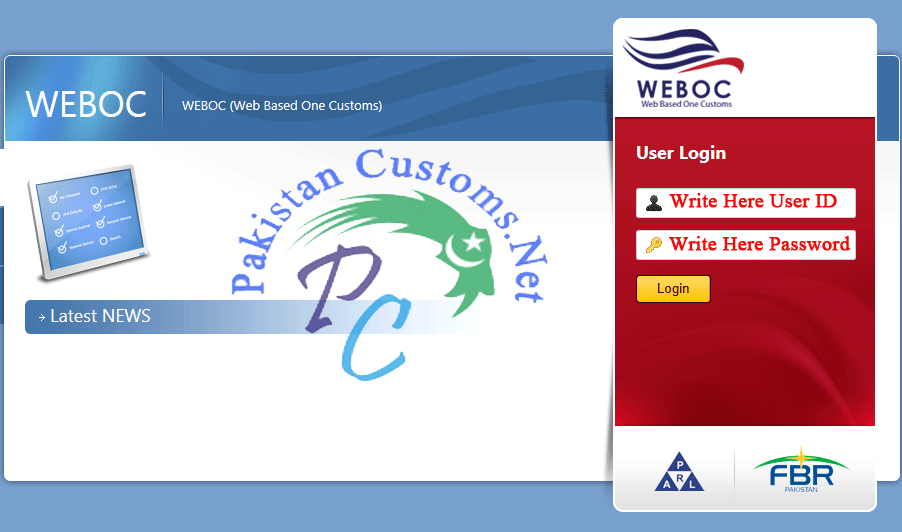
Firstly visit WeBoc`s website then we will log in using trader`s weboc id and password, once we logged in, so we reached on weboc home page, now click on the user support system as indicating in the image below.
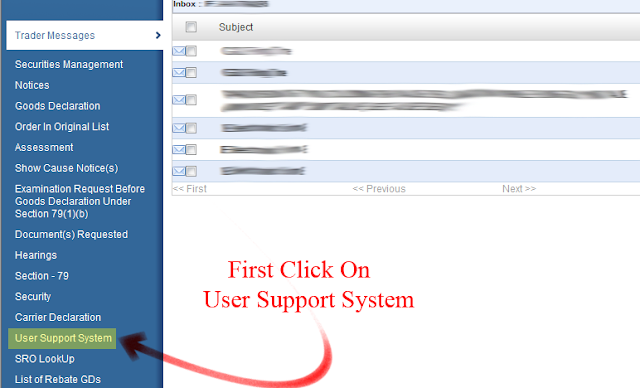
As we click on the user support system in weboc so different option appears on the right side which are given below
- Dray OFF GD
- Request NOC for inBonding in public warehouse
- Add Bonded Carrier GD`s List
- Download EDB Quotes
- Download EDB Quotes For Manual Debating
- File Request of NOC for Re-Export
- Find Whether container is free for use
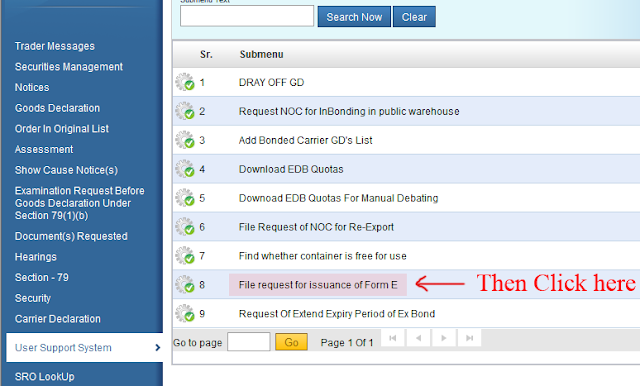
- File request for issuance of Form-E
- Request of Extent Expiry Period of Ex Bond
Here we will click on 8th option (File request for issuance of Form-E) and remember this option will only appear in the trader`s (Exporter) WeBoc ID.
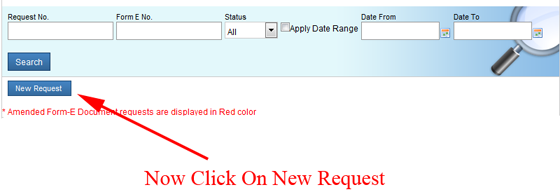
Once we enter into a file request for issuance of Form E option another page will show, where we can see the complete list of Form E request that we prepare or submit but here we are going to file a new request therefore, we will click on new request (as mention in image below).
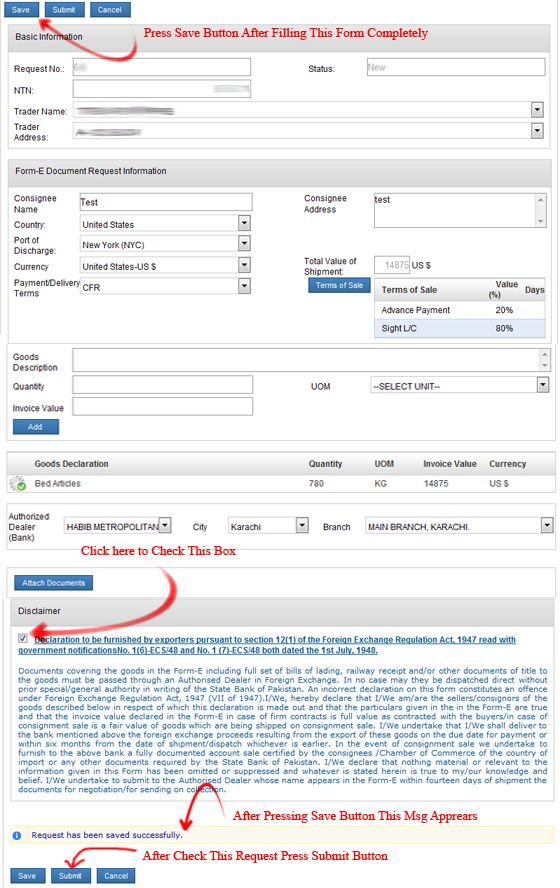
1- Basic Information of Form-E Request
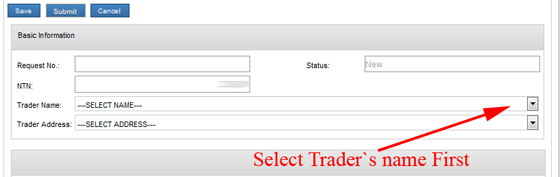
In this section we need to fill following options
(i) Request No: Form E request no. automatically allot when we save this request form after completely filling.
(ii) Trader Name: First of all we will select an exporter name from the drop down box.
(iii) Trader Address: address automatically filled when we select the trader name.
2- Form E Documents Request Information:-
(i) Consignee Name & Address: Write complete name and address of importer (Consignee).
(ii) Country: Select destination country where we want to ship our cargo. For example: United State of America, United Kingdom etc..
(iii) Port of Discharge: Now complete list of port available in your selected country will load here, you need to select destination port. i.e: New York
(iv) Currency:Here we will select currency. For example: USD, EURO etc..
(v) Payment/Delivery Terms: Select delivery term from here. i.e: FOB, CNF, CIF, etc..
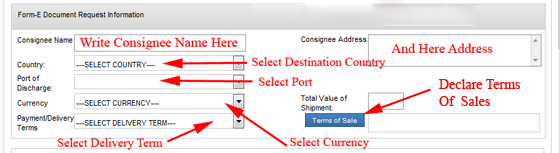
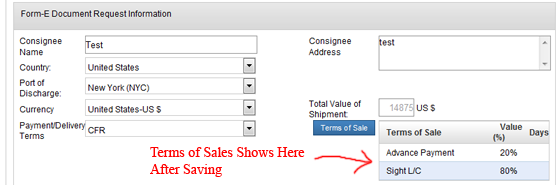
 (vi) Terms of Sale: Here we will declare our terms of sale that we mutually settle with buyer (Consignee). When we click on terms of sale button so some option will appear where we declare sales terms in percentage, but remember one thing total must be equal to 100.
| For Examples:- | |||
|---|---|---|---|
| Option 1 | Option 2 | Option 3 | |
| * 20% Advance Payment * 80% L/C At Sight |
* 100% Documents Against Payment. | * 100% Advance Payment. etc… | |
3- Goods Declaration Section:-
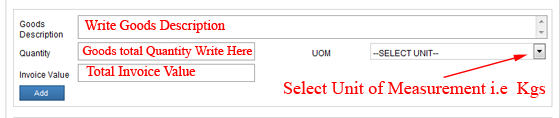
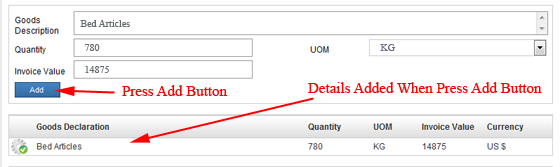
(ii) Quantity: Here we mention the total quantity of goods.
(iii) UOM: Select Unit of measurement of shipment.
(iv) Invoice Value: Write total Form E amount.
4- Bank Details for Form-E Issuance:
Now, we will provide our dealing banks details here. First select bank, then the city where our bank exists and in last select branch, while selecting branch be careful because this request will send to your selected branch.

5- Submit Form-E Issuance Request To Bank:
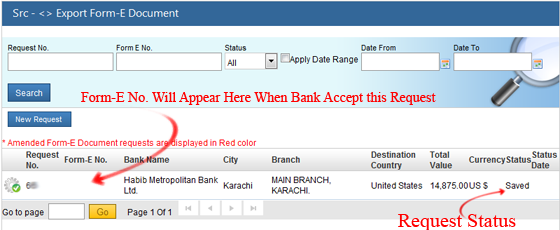
6- Get Online Form-E Number From Bank:
Need Help?
This tutorial can become more productive if you ask questions to clarify any confusion or doubts you may have in mind. This is the most detailed tutorial on creating form-e issuance request in weboc ever shared online, so feel free asking questions so that we may better assist you. All these tutorials are shared with a sole purpose in mind to better help the traders. I wish we succeed with this sincere help. Wish you all a good luck. Peace and blessings buddies!
You may also like !
GD Filing Time In Weboc.
How To Get DTRE Approval.
How To File Amendment With Weboc
Pakistan Customs Problems and Their Solution.
Create Export GD in Weboc Video Tutorial in Urdu.
How to Claim Rebate and what documents are required.
How To Clear Export Customs In Pakistan – Complete Procedure.

2 Comments
Request Of Extend Expiry Period of Ex Bond
please guide us about that above mention
Pingback: Documents Required for Export In Pakistan - PakistanCustoms.net